WebPhone: Difference between revisions
Jump to navigation
Jump to search
Cmseditors (talk | contribs) No edit summary |
Cmseditors (talk | contribs) No edit summary |
||
| Line 4: | Line 4: | ||
==Requirements== | ==Requirements== | ||
*Unistall MicroSip | |||
*Clear the cache and cookies in your chrome | |||
==How to Connect== | ==How to Connect== | ||
Revision as of 14:55, 1 November 2024
The call manager includes a webrtc based phone plugin so you can make and receive calls directly from your browser.
Requirements
- Unistall MicroSip
- Clear the cache and cookies in your chrome
How to Connect
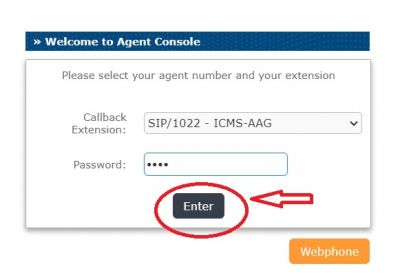
- 1.- Issabel Portal Sign in
- 2.- Click on the orange bottom "Webphone"
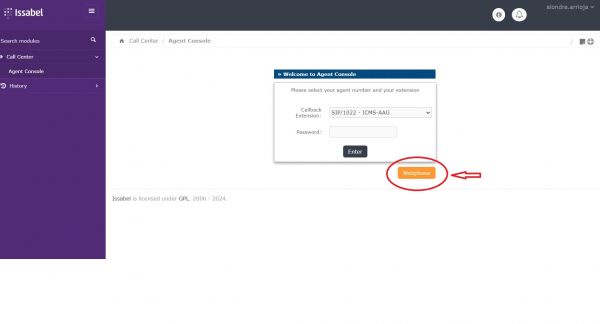
- 3.- It opens a new page in new window.
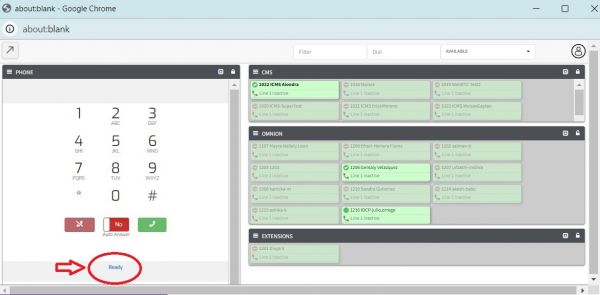
- 4.- Allow Microphone in your first webphone connection
- 1.- Click on the “View Site Information” icon next to the website URL.
- 2.- Select “Site Settings”.
- 3.- From the Microphone dropdown, choose “Allow”
- 5.- Sound Test
- Dial the extension 100.¿Can you hear each sound?
- 6.- After your phone's status changes to "Ready", you will need to log in to the agent console.