Agent Quick Start: Difference between revisions
Jump to navigation
Jump to search
No edit summary |
Cmseditors (talk | contribs) No edit summary |
||
| Line 33: | Line 33: | ||
==Important Notes== | ==Important Notes== | ||
*Port TCP | *Port TCP must be open on your network. | ||
*Get a Chrome update when available. | *Get a Chrome update when available. | ||
*Don’t edit your account or do any changes in the settings if you are in a call because it will reload MicroSIP session. | *Don’t edit your account or do any changes in the settings if you are in a call because it will reload MicroSIP session. | ||
Revision as of 21:15, 27 February 2024
This guide will highlight some of the key information and procedures regarding Issabel Call Manager. This guide will briefly review Logging in to Issabel, Ready/Not Ready Status, Answering an Inbound Call, Dispositioning a Call, and Logging Out.
Login
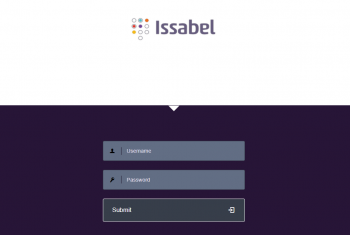
- Step 1
- Access the Issabel login page at Server URL ex. https://pbx1.callmanagerinfra.com and enter your username and password (received in an email).
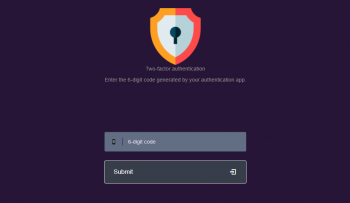
- Step 2
- An one-time password (OTP) is required as a second authentication factor. To get 6-digit (OTP) codes, add a new account in the Authenticator app of your choice; Microsoft Authenticator, Google Authenticator or Authy (with the account key received in an email).
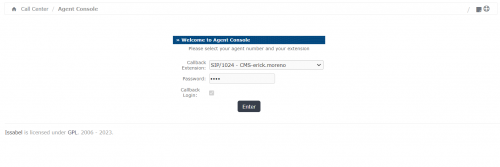
- Step 3
- Finally enter your extension number in the password field and click Enter button. Make sure that your extension number is selected in the "Callback Extension" drop-down and the "Callback" box is checked.
Answering an Inbound Call
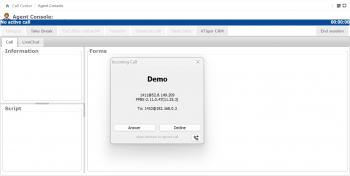
When you are in ready status and receive an incoming call, the Incoming Call pop-up will automatically open within this window, select "Answer" to connect the call and talk to the customer.
Dispositioning a Call
Once you have completed a call and finished taking action on a case, you will need to select a disposition reason within the form tab and click the Save Data button.
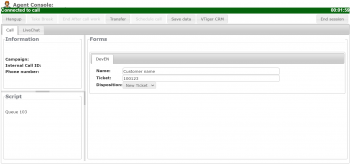
Ready/Not Ready Status
If you are unable to take another call, please be sure to select the appropriate not ready reason.
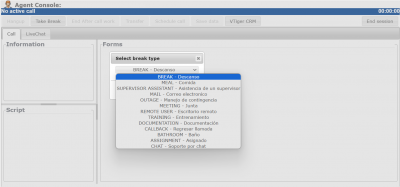
|
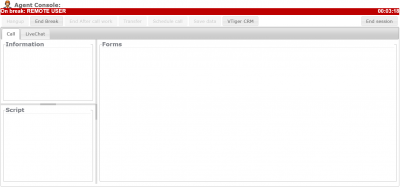
|
Important Notes
- Port TCP must be open on your network.
- Get a Chrome update when available.
- Don’t edit your account or do any changes in the settings if you are in a call because it will reload MicroSIP session.
- If MicroSip reloads the agent console´s session will finish.
- Internet connection via Ethernet is a valuable option – latency, interferences, speed, reliability and security.
- Clear your browsing data and history frequently or you can choice “clear cookies and site data when you close all windows” on Chrome settings.