Configuring my extension ( on Android )
Jump to navigation
Jump to search
In order to connect to your telephone system, you will need to know:
- -Account type: SIP
- -Hostname: Ip address. It is often named domain or registrar.
- -The default SIP port: 5060.
- -Extension number: This is the username for your account.
- -Password: This is the password for your account.
Download ZoiPer
- Open the Google ‘Play Store’ on your phone
- Search for ‘ZoiPer IAX SIP VOIP Softphone’ in the Play Store
- Install the app
- Accept the ZoiPer terms and conditions, tap ‘Agree & Continue’
- You may read the terms and conditions by tapping on ‘General terms’
- Then tap ‘Skip’
Register your extension
- Go to My IP Upload module on Issabel and update your IP in the firewall
- Select Unrestricted Zoiper to allow the app to run with fewer limits while in the background.
- Now go back to the Zoiper APP
- Enter the extension ‘Login ID’ (ExtensionNumber@domain) and ‘Phone Password’ (Pwd) which you may find via email
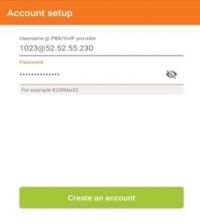
- Enter the hostname:
- 52.52.55.230 for PENSKE subscribers
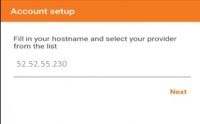
- Tap ‘Next’
- Tap ‘Skip’
- Wait until testing is completed
- The ‘SIP UDP’ test should be green the others are red
- Tap ‘Finish’
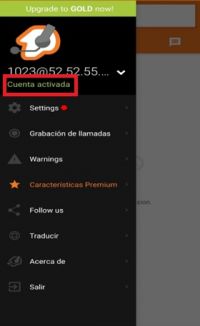
- Congratulations! You're ready to use your Zoiper.
If your problem persist
Need help with your configuration?
If you are unable to complete the setup, contact us at itis.cmsupport@softtek.com. Please provide the following information to help us troubleshoot and resolve your case:
- Network Details: Your Public IPv4 address. You can find this by visiting https://checkip.amazonaws.com/.
- MicroSIP Configuration: Please provide screenshots of the following:
- Main Interface (the dialpad view).
- Settings Menu (Press Ctrl + P).
- Account Settings (Press Ctrl + M).
- Call Manager: A screenshot of the My IP Upload module.
- Issue Description: A brief summary of the error or specific behavior you are experiencing.