Queue Manager-Oncall
Jump to navigation
Jump to search
The Queue Management Module empowers project leaders with full control over the resources in each service desk on-call queue. Users can assign, unassign, and modify the associated telephone numbers to ensure up-to-date and accurate on-call rotation management.
Usage requirements
- Chrome browser.
- Call Manager account (Leader profile).
- Dial Patterns
Process
- Enter with the credentials of the Call Manager

- Click on the module "SD Queue Manager"

- A list with the queues belonging to the project will be displayed in the module. To edit agents assigned to an oncall queue, select the "Edit" option from the preferred queue.

- To begin, navigate inside the module and locate the "Cell phone number" option.
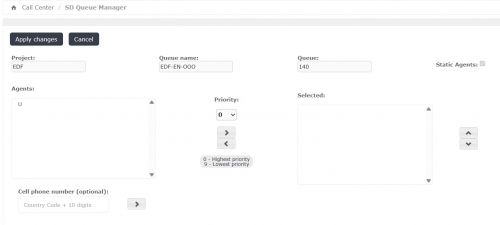
- Enter the telephone number, ensuring you follow the dial pattern (format) specified by the ITIS Call Manager team. Spaces are not permitted in this field.
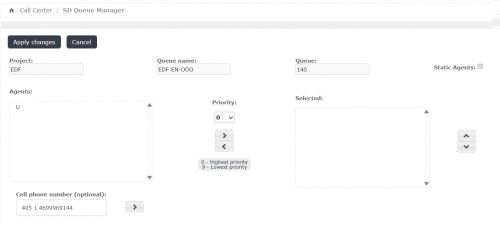
- Click the right arrow button.
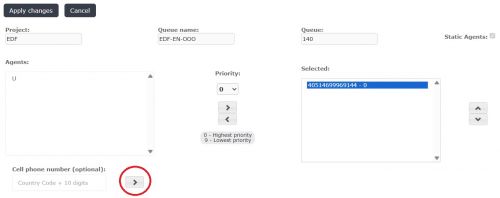
- Finally, click the "Apply changes" button to apply your changes.
- Resource Order Management
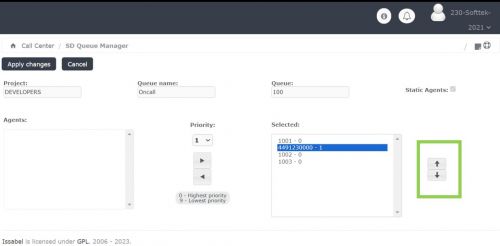
- For L2 or On-Call service queues, you have the ability to change the sequence in which resources receive calls. Utilize the side arrow buttons to modify the ringing order for the assigned resources.