Queue Manager-Oncall: Difference between revisions
Jump to navigation
Jump to search
Cmseditors (talk | contribs) No edit summary |
Cmseditors (talk | contribs) No edit summary |
||
| Line 25: | Line 25: | ||
:[[File:SDQM-Oncall-2.jpg|500px|link=|caption]] | :[[File:SDQM-Oncall-2.jpg|500px|link=|caption]] | ||
*Click the right arrow button. | |||
:[[File:SDQM-Oncall-3.jpg|500px|link=|caption]] | :[[File:SDQM-Oncall-3.jpg|500px|link=|caption]] | ||
[[Category:Issabel_User_Guide]] | [[Category:Issabel_User_Guide]] | ||
Revision as of 17:05, 9 December 2025
The Queue Management Module empowers project leaders with full control over the resources in each service desk on-call queue. Users can assign, unassign, and modify the associated telephone numbers to ensure up-to-date and accurate on-call rotation management.
Usage requirements
- Chrome browser.
- Call Manager account (Leader profile).
- Dial Patterns
Process
- Enter with the credentials of the Call Manager

- Click on the module "SD Queue Manager"

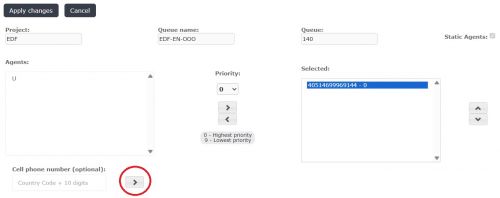
- A list with the queues belonging to the project will be displayed in the module. To edit agents assigned to an oncall queue, select the "Edit" option from the preferred queue.

- To begin, navigate inside the module and locate the "Cell phone number" option.
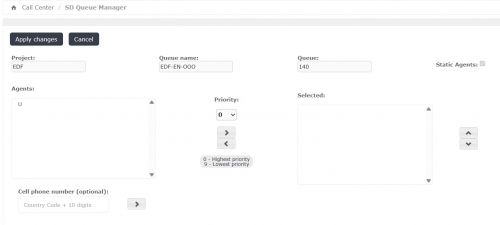
- Enter the telephone number, ensuring you follow the dial pattern (format) specified by the ITIS Call Manager team.
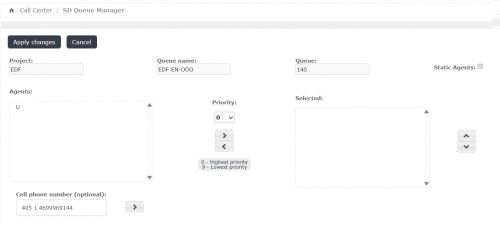
- Click the right arrow button.